Your agents, in the notch.
A MacBook-style notch for Windows 11. It carries how much of your Claude Code and Codex limits you have left, and it turns amber the moment an agent stops and waits on you.
Rest your cursor on the notch for 450 ms and it opens, exactly like the app. Click anywhere to close.
Half a minute on a real desktop.
One take at 1080p, nothing edited in: the notch at rest, the panel on hover, an agent blocked on a permission prompt, the green finish, a crowded tab strip pushing it off screen, and a knock bringing it back.
What you actually see.
Screenshots from the running app, cropped, not drawn.
Two rings and whatever is happening.
Claude on the left, Codex on the right. The middle is the busiest session: its project, the tool it is running, the goal it is working, and how many other sessions are going at the same time.
With nothing running it shrinks back to the two numbers.

Rest on it and the whole picture opens.
Session and weekly with the hour each one resets, a separate row when a model has its own weekly limit, then Codex, then every session Notchy can see with its project name and state.
Rest on the left ring and it opens Claude only; on the right ring, Codex only. Cross over inside the panel and it swaps.

When your tabs need the space, it leaves.
Notchy counts the tabs a window publishes along the top edge. Three is the default, and at three it drops out in one step rather than fading to a smudge nobody can read through.
Knock twice against the top edge of the screen, the way you knock on a door, and the panel comes back.

Amber is the only thing that interrupts.
A permission prompt makes the notch breathe amber and stay that way until you deal with it, even over a fullscreen game. A finished run flashes green for five seconds, then gets out of your face.
Nothing else ever animates for attention.

Every behaviour is a switch.
Four pages of settings, all of them about staying out of your way. The notch at the top of the settings window is the live one, so you can try a setting on the thing itself.
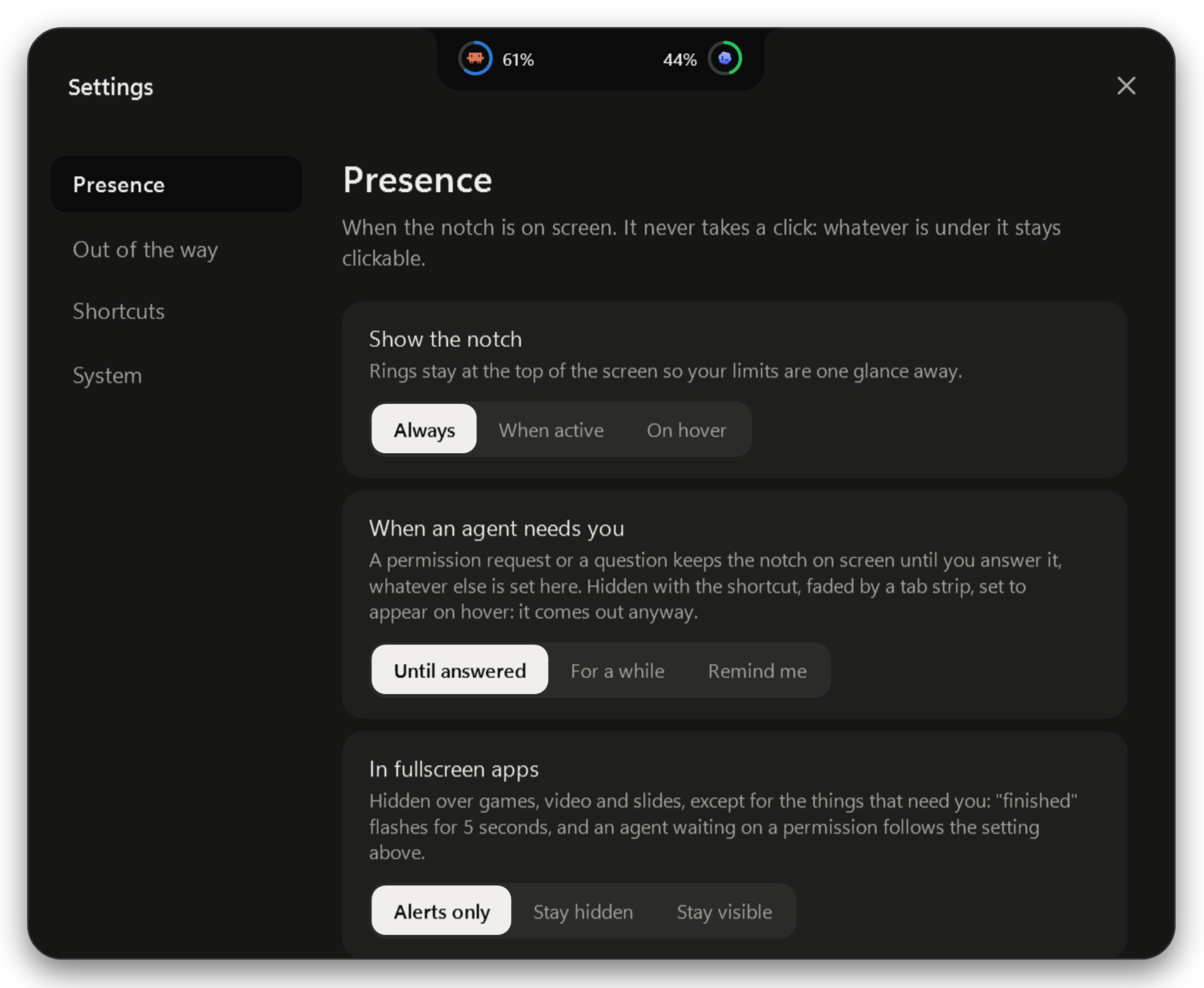
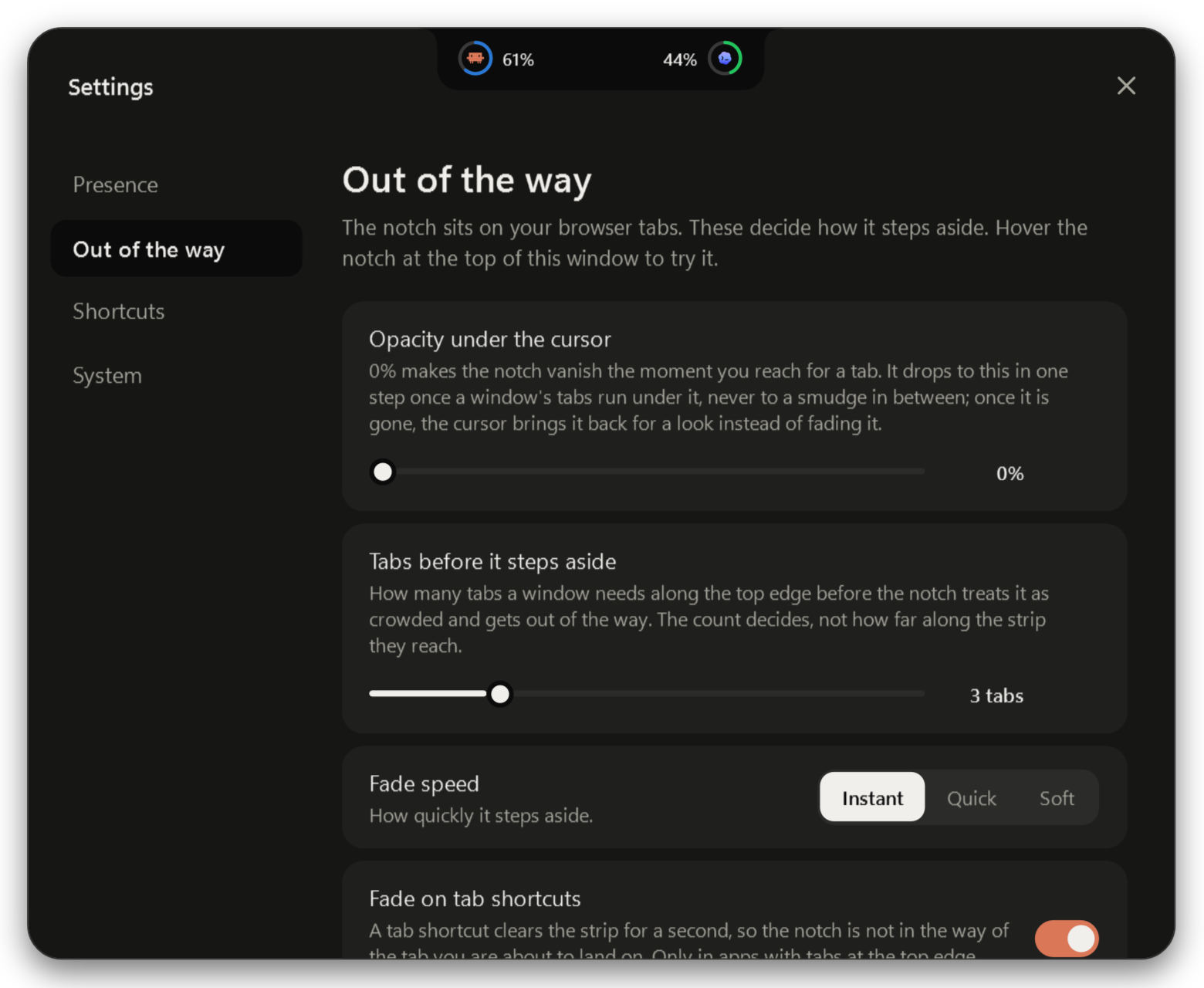
- Hide and peek shortcuts you pick yourself. They are polled, never registered, so Windows and your other apps still get the keys.
- Alt+Tab brings a hidden notch back while the switcher is up.
- Tray menu: settings, show, snooze for an hour, pin open, refresh now, start at login, quit.
- Three sizes, glow strength, reduce motion, and whether desktop app sessions count or only terminals.
A thing at the top of your screen is in the way.
Every complaint people file about desktop notches, from Notchify reviews, WinIsland #163 and DynamicWin #87 and #89, and what this one does instead.
What it reads, and what it will not do.
Claude Code
It reads the login Claude Code already saved on your PC and asks Anthropic's own usage endpoint for your numbers, once a minute. That read is the only thing it ever does with that token: it never refreshes it, never signs you out, and never makes a model call on your subscription.
Codex
No network at all. Codex writes its own rate limits into local session logs as it runs, and Notchy reads the newest number out of them every 15 seconds.
$1.99 once
Buy it once, keep it. Free updates through version 1. If the Claude endpoint it reads ever goes away, you will hear it from me first.
No download yet. One email when it ships, then nothing.
Questions
Is my Claude account at risk?
Notchy reads the login Claude Code keeps on your PC and calls one usage endpoint with it, the same call the CLI makes for its own /usage screen. It never refreshes the token, because refreshing would rotate it and sign your CLI out, and it never spends your subscription on model calls. The endpoint is undocumented, so it can change without notice; if it does, the notch shows an error instead of a number.
Does it work without Claude Code?
Yes, with less to show. Codex limits work on their own and need no network. If you run neither, this is just a notch.
Do I have to install hooks?
No. Open sessions are found by reading Claude and Codex session files, so every terminal shows up without them. Hooks only add the finer detail: tool names and the moment a permission prompt appears. They are opt-in from the tray and removable.
Does it slow my PC down?
One 50 ms timer for the cursor, a tab-strip measurement at most once per second per window, one network call a minute, and a log read every 15 s. No keyboard hook, no GPU effects beyond a single shadow, and nothing paints while it is hidden.
Multiple monitors?
Primary monitor only right now. It is the most requested thing and it is next.
Will it get in the way of my tabs?
It cannot take a click, and it leaves on its own once your tabs reach it. The cursor brings it back for a look, a knock on the top edge opens it, and a shortcut hides it outright.